Systems, portals & integrations
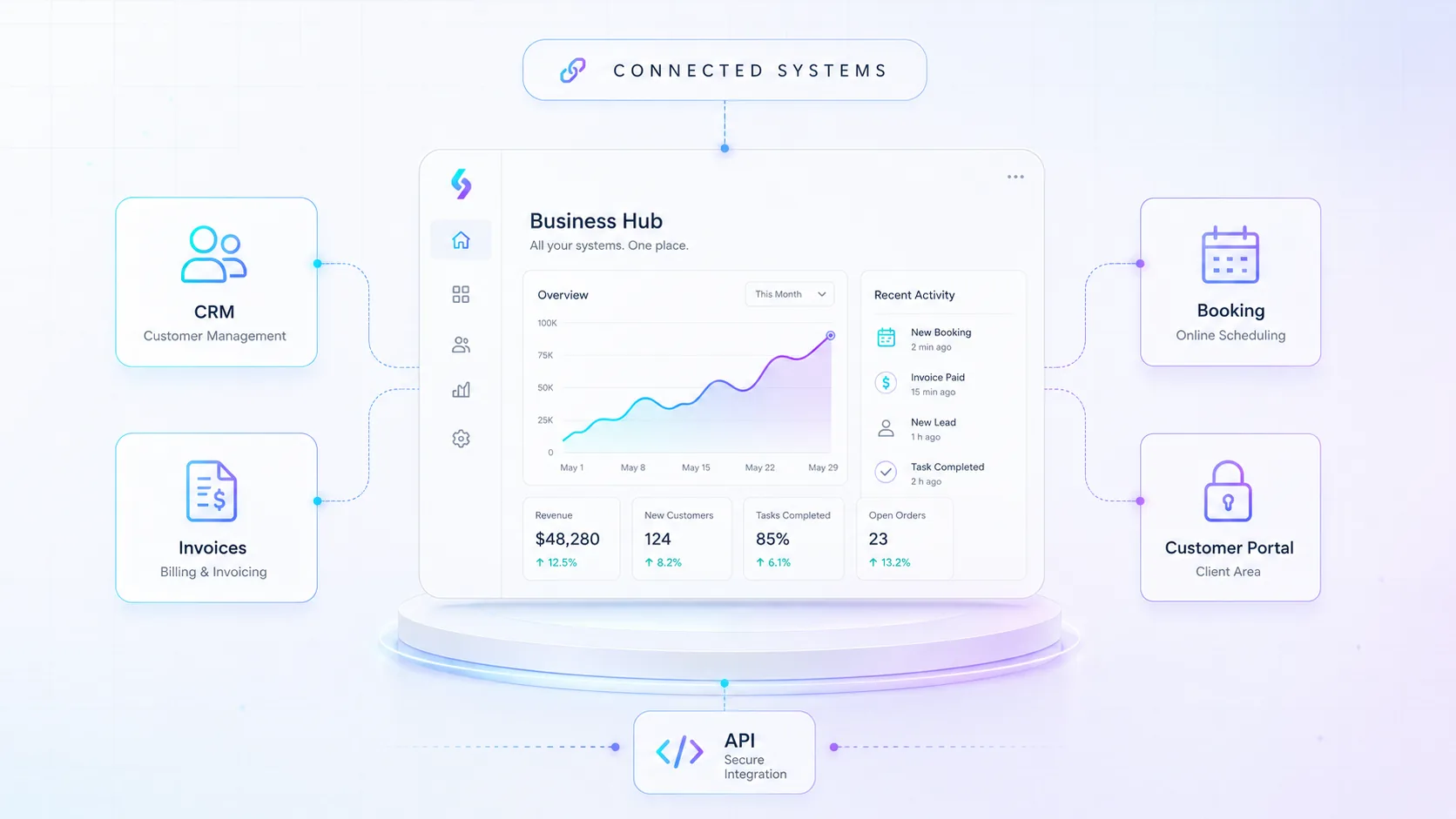
We build systems and portals that fit your way of working — such as customer portals, booking, ticketing and integrations between tools you already use. We often start with a short discovery so scope and cost are clear.
What we help you with
We build systems and portals that fit your way of working — such as customer portals, booking, ticketing and integrations between tools you already use. We often start with a short discovery so scope and cost are clear.
When this service fits
A good fit if you've outgrown spreadsheets and email and need a system or portal that gathers information and removes double work.
What can be included
- Discovery that gives a clear budget estimate
- CRM, customer and employee portals
- API integrations between your systems
- Maintenance and SLA after launch
Packages & starting prices
Starting prices give a clear baseline for different types of work. Smaller jobs can often start quickly, while larger projects begin with a short review or pre-study. After the review you get a clear proposal with scope, price and next step.
| Package | Best for | Starting Price |
|---|---|---|
| System review / discovery | Process mapping, plan, budget and technical basis | from $449 |
| Simple integration | Smaller connection between two systems | from $849 |
| API Integration | Connect CRM, website, accounting, inventory or other systems | Custom quote |
| CRM Setup | Pipelines, fields, automations, migration and training | Custom quote |
| Booking System | Booking, calendar, resources and reminders | Custom quote |
| Ticketing / Support System | Ticket flows, status tracking, SLA structure and reporting | Custom quote |
| Customer Portal | Login, customer data, documents, tickets and status tracking | Custom quote |
| Custom Business System | Multiple modules, roles, workflows and integrations | Custom quote |
All prices are starting prices in USD. Hosting, domains, licenses, third-party tools, advertising budget, AI usage and external platform fees are not included unless stated in the proposal. Final pricing depends on scope, integrations, content and support level.
Frequently asked questions
These are digital solutions that help companies collect information, reduce manual work and create better flows between people, systems and processes. Examples include customer portals, booking systems, ticketing systems, CRM solutions or integrations between tools you already use.
The goal is to build a solution that fits your way of working, instead of forcing the business to adapt entirely to a standard system.
This service is suitable when you have outgrown spreadsheets, email threads and manual routines. It may be when information gets lost, tasks are entered twice, customers lack clear status updates or staff spend too much time on administration.
If several systems are used in parallel without communicating with each other, a portal or integration can often save a lot of time.
A pre-study is a shorter review where we map needs, processes, systems, users, risks and technical requirements. The result is a clearer basis for budget, timeline and solution proposal.
For larger systems, the pre-study is important because it reduces the risk of misunderstandings, incorrect budgeting and features being built the wrong way.
Larger systems and integrations often have more dependencies than expected. This can include permissions, data models, APIs, user roles, security, migration, external suppliers and future maintenance.
A pre-study gives you a more realistic decision basis before development starts.
An API integration connects two or more systems so information can be transferred automatically between them. This may involve CRM, accounting, webshop, inventory, booking systems or internal tools.
The exact scope depends on which systems should be connected, what data should be transferred and how often the information needs to be updated.
An API is a technical interface that allows systems to communicate with each other. If a system has a good API, it can often be connected to other tools in a more stable and automated way.
If a system does not have an API, integration may still be possible, but it needs to be reviewed more carefully.
Yes, in many cases these systems can be connected. Examples include sending customer data to CRM, sending order data to accounting, updating inventory in a webshop or creating internal notifications automatically.
Before giving an exact price, we need to review the systems’ integration options and what data should flow between them.
CRM implementation can include setting up pipelines, fields, customer records, users, permissions, automations, migration and training. The goal is for the CRM system to support how you actually sell, follow up and manage customers.
A good CRM should not only be a database, but a tool that helps the team work more systematically.
Yes. We can help compare your needs against different CRM solutions and suggest a reasonable setup. The choice depends on how you work with sales, support, follow-up, automation, reporting and integrations.
Sometimes a simpler CRM is enough, while larger organizations need more customized workflows.
Yes, we can often help migrate customer data, contact information, tickets or other information. First, the data needs to be reviewed so we understand its format, quality, duplicates and which fields should be included.
Data migration must be planned carefully because incorrect or messy data can create problems in the new system.
A booking system can include a booking flow, calendar, resources, services, availability, reminders and sometimes payment or integration with other systems.
It can suit companies that book meetings, treatments, installations, consultations, training sessions or other time-based services.
Yes, booking systems can often be connected to calendar solutions such as Microsoft 365, Google Calendar or other systems. This depends on which calendar solution is used and how the booking flow should work.
Calendar integration is especially important if staff, resources or rooms need to be synchronized automatically.
A ticketing system can include ticket flows, statuses, priority, responsible users, SLA, internal comments, customer communication and reporting.
It suits companies that manage support, service requests, internal requests, customer cases or technical issues in a more structured way.
SLA stands for Service Level Agreement and describes the service level that applies, such as response times, priority, escalation and handling of different types of cases.
In a ticketing system, SLA can help the team see which cases are most urgent and which risk becoming overdue.
A customer portal is a logged-in environment where customers can see relevant information, documents, cases, status, history or other functions. It can reduce the need for email and give the customer a better overview.
A customer portal can also make the company appear more professional by collecting communication in a clearer way.
A customer portal can include login, customer data, tickets, documents, status, orders, reports, messages, forms, files and other functions the customer needs access to.
The exact content depends on the company’s processes and what information the customer should be able to see or manage.
A custom business system is suitable when ready-made tools are not enough or when several workflows need to be collected in one solution. This can include several modules, roles, integrations, special workflows and reporting.
It is usually relevant when the system becomes an important part of the company’s daily operations.
No. In many cases, an existing system is faster and cheaper. A custom system is most relevant when standard solutions do not support the workflow, when integrations are critical or when the business needs special processes.
We do not recommend custom development if a simpler solution is enough.
Yes. An employee portal can collect internal routines, documents, forms, tickets, onboarding, reports or other workflows. It can reduce internal administration and make information easier to find.
The portal can be adapted by role so different users see different information.
Yes. We can build customer portals with login, permissions and customer-specific information. For these solutions, security, access control and data protection are important parts of the planning.
If the portal handles sensitive information, the security requirements should be defined early.
Systems and portals can be built with different roles and permission levels. For example, administrators, employees, customers and external partners can have different access.
Clear roles reduce the risk of the wrong people seeing or changing information they should not access.
Security needs to be planned from the beginning. It can include login, permissions, data storage, backup, logging, encryption, system updates and incident routines.
The security level is adapted to the type of information the system handles and how critical it is to the business.
If the system handles personal data, GDPR questions need to be included in the planning. This may involve what data is collected, why it is needed, how long it is stored, who has access and which suppliers process the data.
We can help with technical structure and practical review, but legal assessments should be reviewed separately when needed.
Yes. Many systems can send automatic emails, internal notifications or reminders. This may apply to new tickets, bookings, status changes, document uploads or follow-up.
Notifications should be set up with clear logic so they help users without creating unnecessary noise.
Yes. Systems can include reports and dashboards showing ticket status, sales, bookings, occupancy, customer activity or other important metrics.
Which reports are needed should be defined based on the decisions the business needs to make.
Yes. Many manual workflows can be automated, such as creating tickets, sending confirmations, updating CRM, moving data between systems or generating internal notifications.
The best starting point is the tasks that take a lot of time or often go wrong.
It depends on the scope. A smaller integration or clear CRM implementation can often move faster, while customer portals and custom business systems require more planning, design, development, testing and maintenance.
After a pre-study, we can provide a more realistic timeline.
Smaller assignments can often be priced from a clear starting level. Larger projects normally require a pre-study or requirements specification before a fixed price or budget range can be provided.
The price is affected by functionality, integrations, user roles, data migration, security requirements, design, testing and maintenance.
Yes, where relevant. Licenses, domains, hosting, external system costs, API fees and other third-party costs are normally added separately from the development work.
We aim to clarify these costs early so the budget is realistic.
After launch, we can help with maintenance, support, further development, troubleshooting, updates and SLA. This is especially important for systems that are used daily or are business-critical.
A system should be seen as something that can be improved over time, not just a one-time project.
Yes. Maintenance and SLA can be included after launch depending on need. This can include support, monitoring, issue prioritization, smaller improvements and technical follow-up.
For business-critical systems, some form of ongoing maintenance is recommended.
Yes. It is often wise to start with a first version that solves the most important problems and then continue developing. This reduces risk, makes the budget easier to control and allows the solution to be tested in real use.
After the first version, new functions can be prioritized based on actual usage.
We need to understand your workflows, which problems should be solved, which systems you use today, which users will work in the solution and what data will be handled.
Examples of current spreadsheets, email flows, systems, reports or manual routines are often very useful in the beginning.
Want to know what it would cost for you?
Book a free meeting and we'll do a short needs review and come back with a clear proposal.